Brex in Claude: Your expenses, now where you work
Brex in Claude: Your expenses, now where you work
Intelligent finance, meet Claude
Claude is where you draft proposals, analyze data, and work through the hard stuff. It's also where expense questions tend to sneak in. How much is left on my T&E limit? Did that reimbursement go through? Do I need a receipt for this?
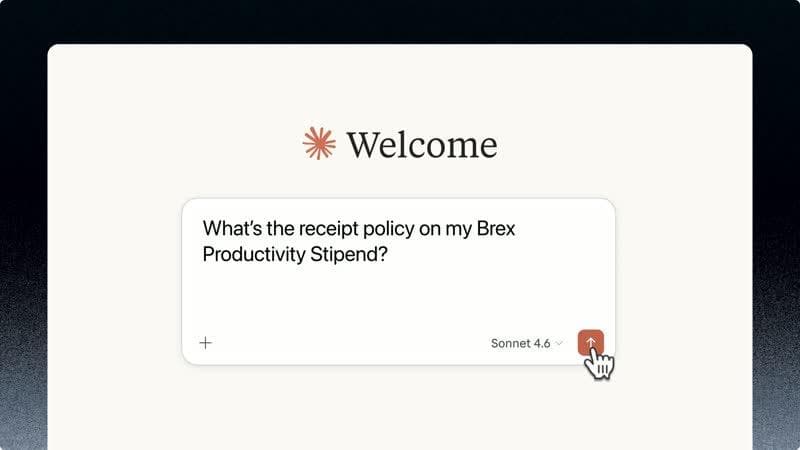
Now you can ask without switching apps. The Brex connector for Claude brings the same AI-native financial intelligence behind Brex's expense automation directly into your workspace with conversational access to your expenses, limits, cards, and policies.
Connect your Brex account to get started.
What you can do
Everyone
- Check which of your expenses need receipts or memos before they're overdue
- Find transactions by merchant, amount, or date
- Check your spend limits and remaining balances
- View your card statuses and details
- Track your reimbursement payouts
- Update memos, attach receipts, or add attendees on your own expenses
- Ask policy questions in plain language
Admins
- Query expenses across your team or company: filter by department, employee, cost center, location, or compliance status
- View business bank account balances and banking transactions
- Look up vendors, review bills, and check outstanding payables
- Review accounting records and GL accounts from your connected ERP
- Browse company-wide travel trips, bookings, and group events
- Search users, departments, and locations for audits or onboarding
- Download expense data as CSV for bookkeeping or period-end reporting
Claude can also create interactive charts and visualizations for answers to your expense questions. Claude will decide when to build a visual for something, or you can ask it to do so directly.
Here are some examples:
Built on Brex intelligence
Inside Brex, AI already handles the tedious parts of expense management like auto-generating receipts, drafting memos from transaction context, enforcing policies, and triaging reviews. It's how Brex customers maintain ~98% policy compliance on average without constant manual effort. The Claude connector extends that same financial intelligence to where your other work happens.
Read and write, securely
The connector lets you both ask questions and take action on your expenses. You can update memos, attach receipts, add attendees, and assign spend limits, all without leaving Claude. Your Brex permissions carry over, so you only see and modify what you're authorized to, nothing more. Write actions are scoped to your own expenses; admin-level actions like approvals still happen in the Brex dashboard where audit trails live.
The Brex connector is available now in Claude. Connect your account, ask your first question, and get back to what you were working on.